
No products in the cart.
DIY Craft Projects, Cricut Tutorials
SVG vs PNG vs DXF – Which File Format Should You Use?

04
Mar
Mar
SVG vs PNG vs DXF – Which File Format Should You Use?
When downloading digital design files, you will often see several file formats included in the download package. The most common formats are SVG, PNG, and DXF.
If you are new to digital crafting or cutting machines like Cricut or Silhouette, understanding these file formats will help you choose the right one for your project.
Each format serves a different purpose depending on whether you are cutting vinyl, printing designs, or editing graphics.
In this guide, we will explain the differences between SVG vs PNG vs DXF, when to use each format, and which one works best for your crafting projects.
If you’re looking for ready-to-use designs, you can explore our collection of Cricut-ready SVG files to start crafting immediately.
What Is an SVG File?
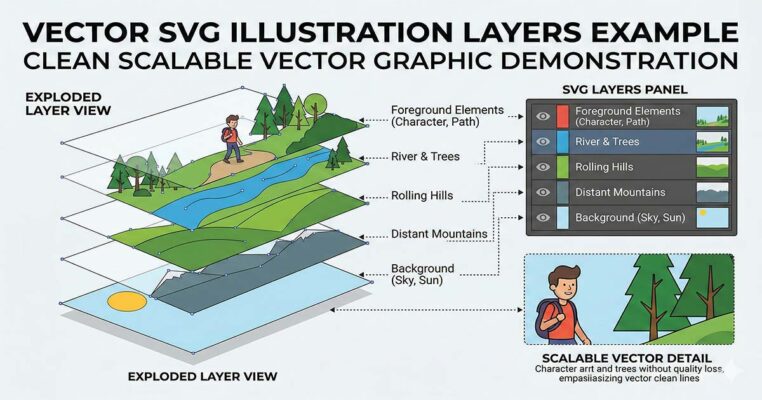
SVG stands for Scalable Vector Graphics. This file format is widely used for cutting machines and digital crafting because it uses vector paths rather than pixels.
Vector graphics are made from mathematical paths, meaning they can be resized to any size without losing quality.
This makes SVG files perfect for projects like:
Cricut vinyl cutting
Silhouette Cameo cutting
T-shirt designs
Mug and tumbler decals
Stickers and DIY craft projects
Because SVG files contain layered paths, most cutting software can automatically separate the design into layers.
For Cricut users, SVG is usually the best file format. You can browse hundreds of ready-to-use SVG designs in our SVG file collection for Cricut projects.
What Is a PNG File?
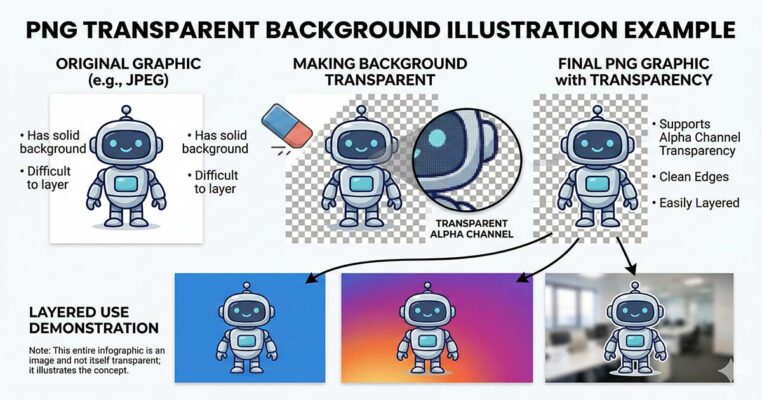
PNG stands for Portable Network Graphics. Unlike SVG files, PNG files are raster images, which means they are made of pixels rather than vector paths.
PNG files are commonly used for printing and digital graphics because they support transparent backgrounds.
This allows designers to place images on different backgrounds without showing a white box around the design.
PNG files are best used for:
Printable artwork
Sublimation printing
Stickers and decals
Digital graphics
Social media images
However, PNG files cannot be resized infinitely like SVG files. If you enlarge a PNG image too much, it will eventually lose quality and appear blurry.
For Cricut users, PNG files can still be used, but they usually require manual tracing in Cricut Design Space.
What Is a DXF File?
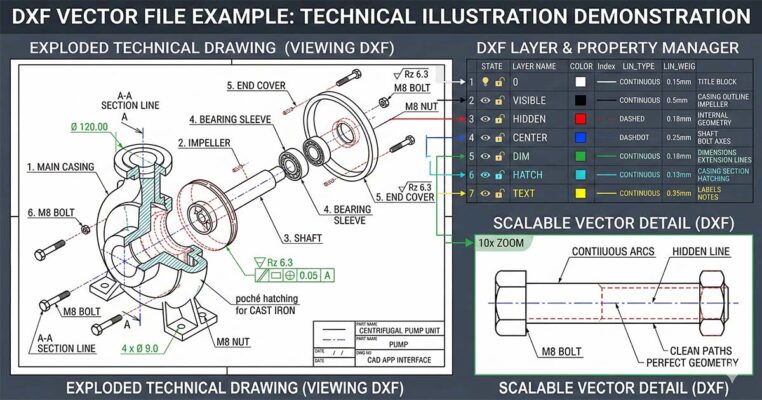
DXF stands for Drawing Exchange Format. It is a vector file format originally created for CAD software but later became popular in cutting machine software.
DXF files are especially useful for Silhouette Studio Basic Edition, which does not support SVG files unless you upgrade the software.
DXF files can be used for:
Silhouette cutting machines
Basic vector cutting paths
Vinyl cutting designs
However, DXF files sometimes lose formatting when imported into design software. For example:
Text may appear differently
Layers may not import correctly
Some details may be simplified
Because of this, most designers prefer using SVG files whenever possible.
SVG vs PNG vs DXF – Key Differences
Here is a quick comparison between these three file formats:
| Format | File Type | Best For | Cutting Machines | Resizable |
|---|---|---|---|---|
| SVG | Vector | Cricut, Silhouette, vinyl cutting | Yes | Unlimited |
| PNG | Raster | Printing and digital graphics | Limited | No |
| DXF | Vector | Silhouette Studio Basic | Yes | Yes |
In most crafting situations, SVG files are the most flexible format because they support layers and scalable designs.
Which File Format Is Best for Cricut?
If you are using a Cricut cutting machine, the best format is almost always SVG. Many crafters download pre-made SVG designs instead of creating them from scratch. You can explore our Cricut SVG design collection for ready-to-cut files.
SVG files allow Cricut Design Space to read the cutting paths directly, meaning the machine can cut each layer accurately without needing manual adjustments.
PNG files can still work with Cricut, but they usually require image tracing, which may reduce accuracy.
DXF files can also work, but they are mainly used for Silhouette software compatibility.
For Cricut projects such as vinyl decals, t-shirts, mugs, and signs, SVG files provide the cleanest cutting results.
When Should You Use PNG Instead of SVG?
Although SVG files are preferred for cutting machines, PNG files are still useful for many crafting situations.
You should use PNG files when:
Printing sublimation designs
Creating digital graphics
Using designs on social media
Making printable stickers
Because PNG files support transparent backgrounds, they are perfect for overlay graphics and printable artwork.
Where to Download High Quality SVG Files
If you are looking for high-quality SVG designs for Cricut and Silhouette projects, you can explore our collection of digital files.
Our SVG bundles include multiple formats such as:
SVG
PNG
DXF
EPS
This ensures compatibility with most cutting machines and design software.
👉 Browse our collection of Cricut SVG designs to find files for:
T-shirts
mugs
tumblers
decals
DIY craft projects
Final Thoughts
Understanding the differences between SVG vs PNG vs DXF helps you choose the right file format for your crafting projects.
To summarize:
SVG files are best for cutting machines like Cricut and Silhouette.
PNG files are ideal for printing and transparent graphics.
DXF files are useful for Silhouette Studio Basic users.
For most Cricut projects, SVG files are the best option because they provide clean cutting paths, scalable graphics, and layered designs.
